Find the port owner
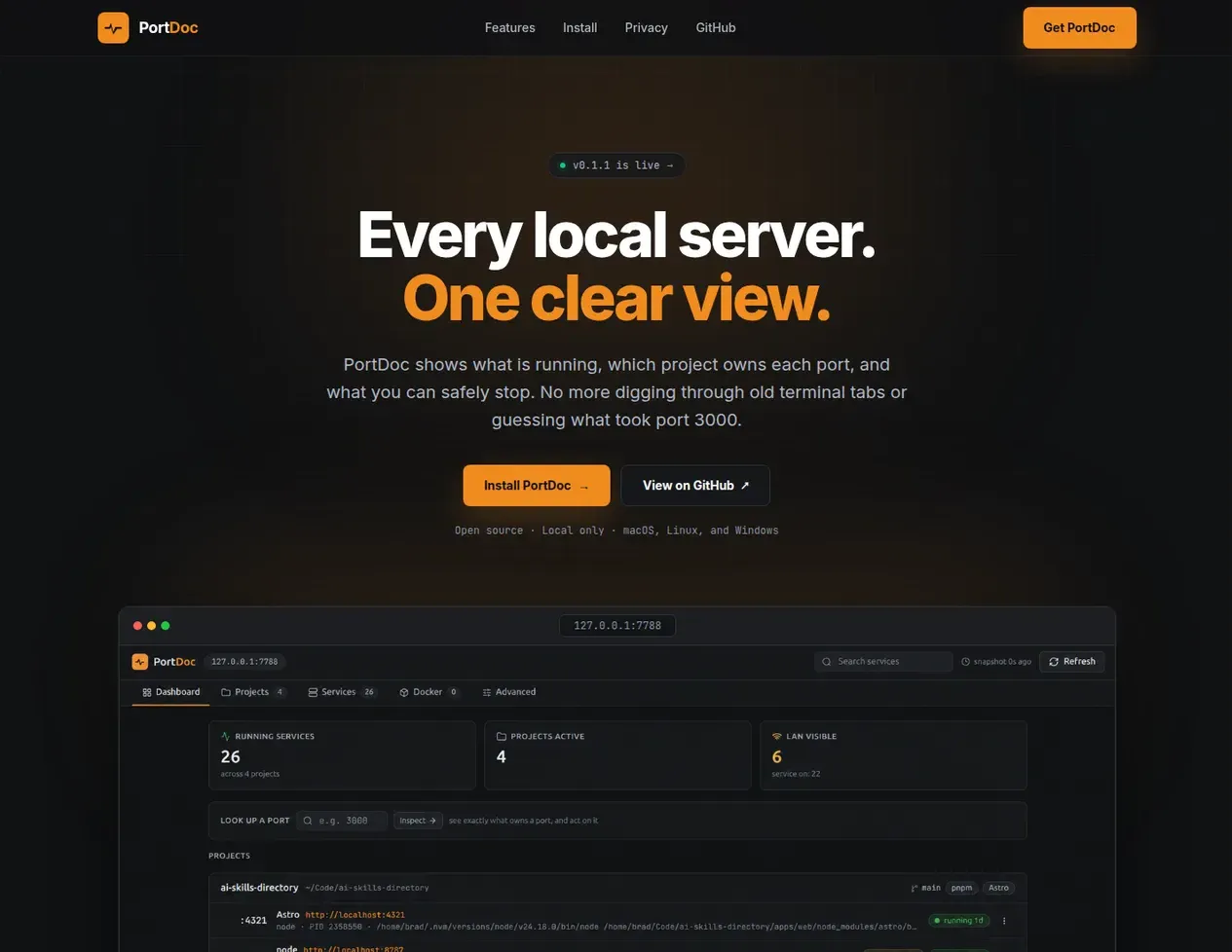
Look up a port and see the process, project, command, age, and exposure in one place.
Selected project / Live
A local control panel for seeing what is running, which project owns each port, and what can be stopped safely.
Why I built it
I usually have several local apps running at once: Astro, Next.js, Vite, Node APIs, workers, local databases, Docker containers, and the occasional process that should have stopped yesterday.
The usual answer is a mix of lsof, ss, ps, memory, and guessing. PortDoc
replaces that daily routine with a dashboard organized around projects, apps,
ports, and useful URLs.
Look up a port and see the process, project, command, age, and exposure in one place.
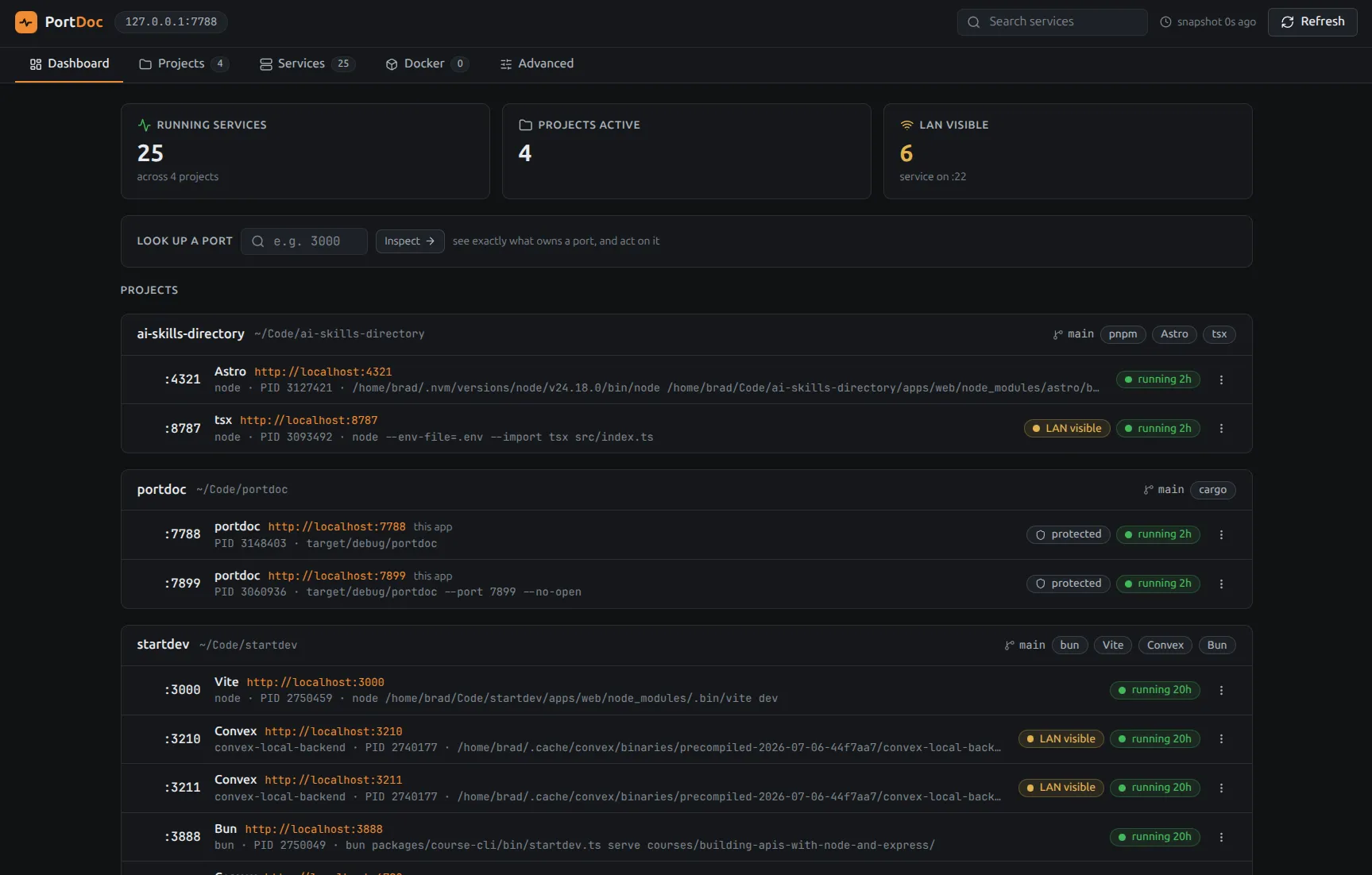
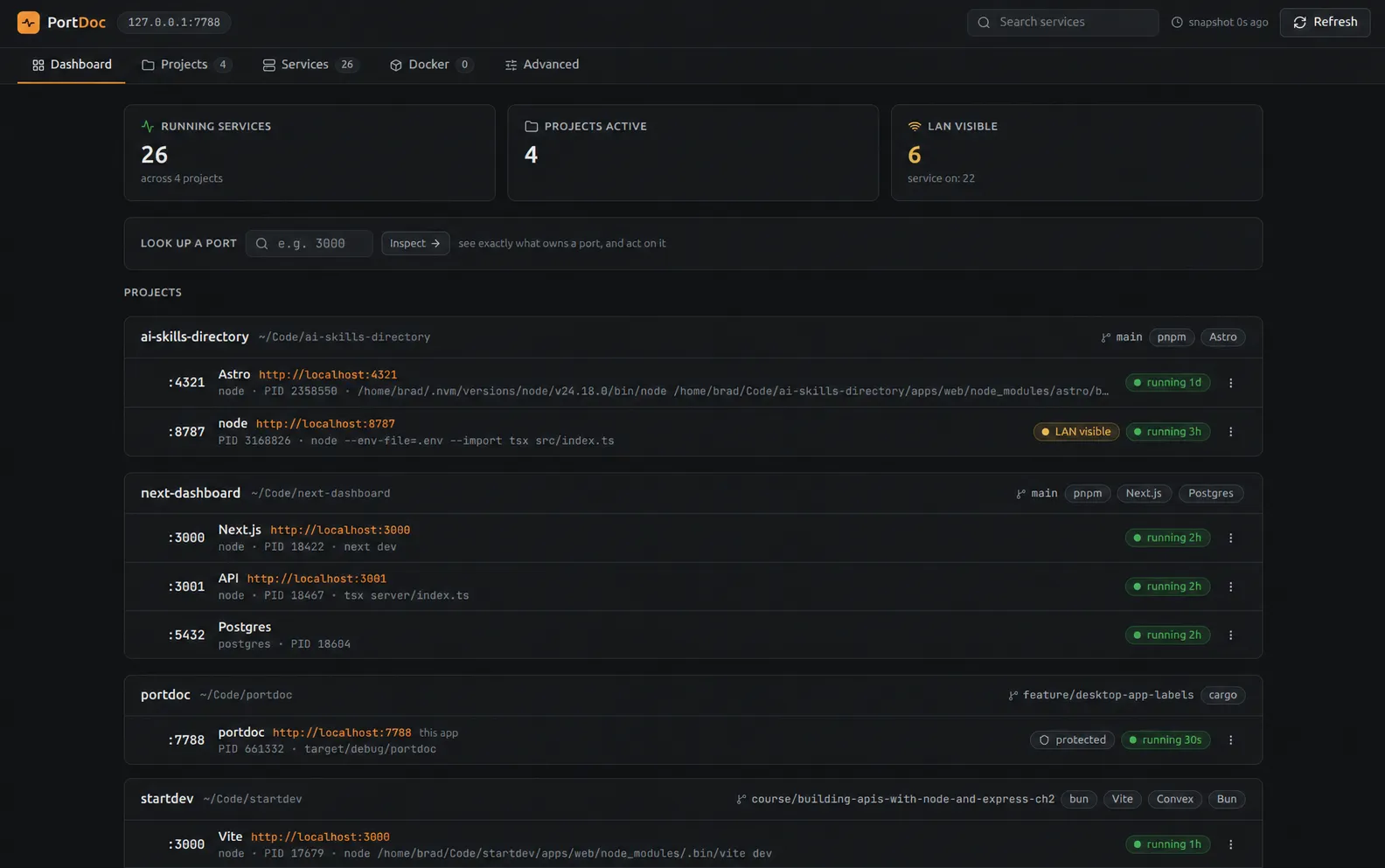
See local apps, APIs, databases, and background services under the repository that owns them.
Distinguish local-only, LAN-visible, Docker-bound, and unknown services before opening them.
Stop stale services with confirmation, process checks, and verification that the port was released.
Inside PortDoc
PortDoc turns raw socket and process data into a dashboard organized around projects, services, ports, URLs, and exposure.
How it is built
A Rust binary uses Axum to serve an embedded React and TypeScript interface from the same local process.
Core stack
Runtime flow
Platform probesLinux, macOS, and Windows adapters collect socket and process metadata.
Snapshot contractOne JSON shape feeds both the browser interface and portdoc --json.
Embedded interfaceThe Vite application is bundled into the Rust binary for release builds.
Safe stopGraceful stops use confirmation and verify that the selected port was released.
Use the product
Install PortDoc on Linux, macOS, or Windows and open the local dashboard from one command.